
To improve the security of your account, we contact you by email or text message each time
a new device—a computer (recommended), tablet, or smartphone—is used to login.
If prompted to enter a Verification Code see below.
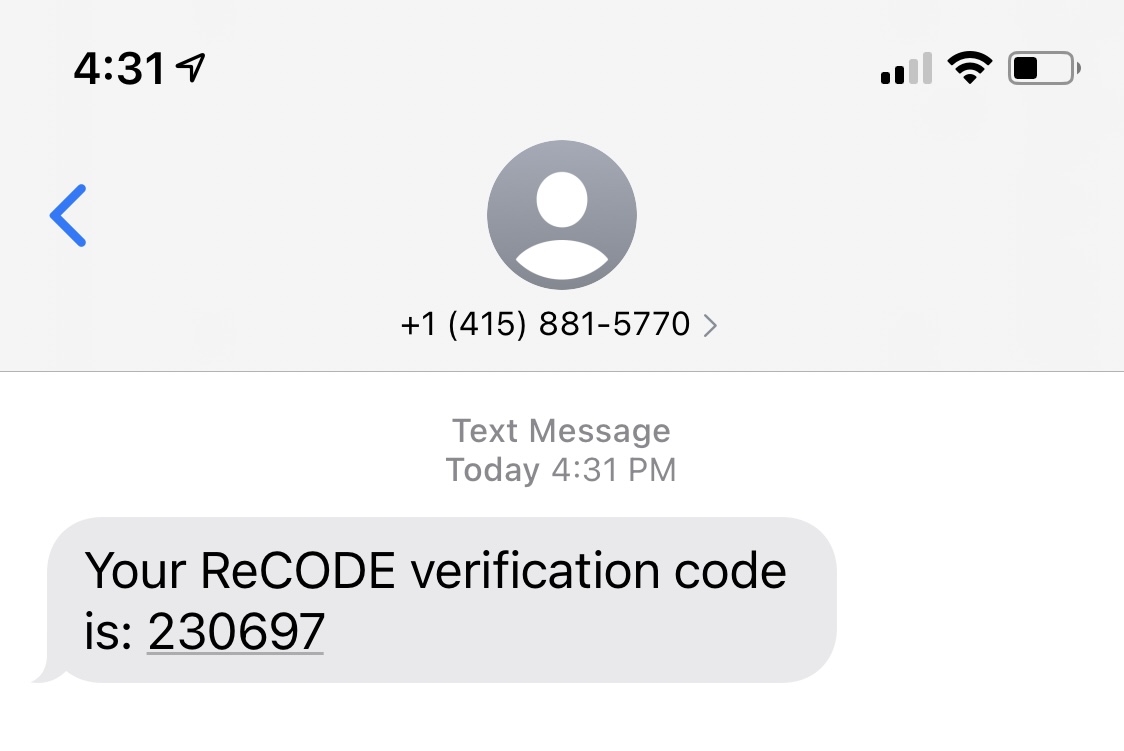
If you designated the phone number for your account as "mobile," you will receive verification codes by text (SMS) to your phone. Alternately, you can choose to receive verification codes by email. If you want need to have the text message re-sent or want to choose email instead, click the appropriate button: "Resend SMS" (text) or "Send Email Instead.".
If your phone number is mobile:
Check your phone's text messages for a text message from (415) 881-5770. Remember or record the 6-digit verification code so that you can enter it in your web browser (the previous screen, above).
If your phone number is not mobile, or you choose to receive the verification code by email:
Check your email for a message with the subject "ReCODE Verification Code" sent from support@ahnphealth.com.
If you do not see the message, make sure to check your spam/junk messages folder.
Remember or record the 6-digit verification code so that you can enter it in your web browser (the top screen, above).

To complete the validation, enter the verification code that has been sent to your email address and click the Validate button.
Once you enter the code, you should be able to log-in to your Apollo account.

Comments
0 comments
Article is closed for comments.